A household that stops double-booking itself
Plans lived in notes, messages and two different memories. Now both people see the same list on their phones, and the calendar stays in step.
What was going wrong
Household plans were spread across notes, messages, calendar entries and memory. Nobody had one current view of what was due, whose job it was, or what had already been done.
Why it mattered
Small domestic jobs create a constant stream of checking in with each other when they live in different places. A shared list only works if it is quick enough to use on a phone.
What it changed
The shopping list and the jobs used to live on a whiteboard at home, which is no use standing in a shop trying to remember what was on it. They are on both phones now, and the list carries through to a Click and Collect order, so the trip to the shop is a pick-up rather than a wander round trying to remember.
Built with
How it works
KirCob is one app on two phones that holds a household's jobs, projects, shopping and meals. Whatever one person adds, the other sees within a second or two.
The main screens
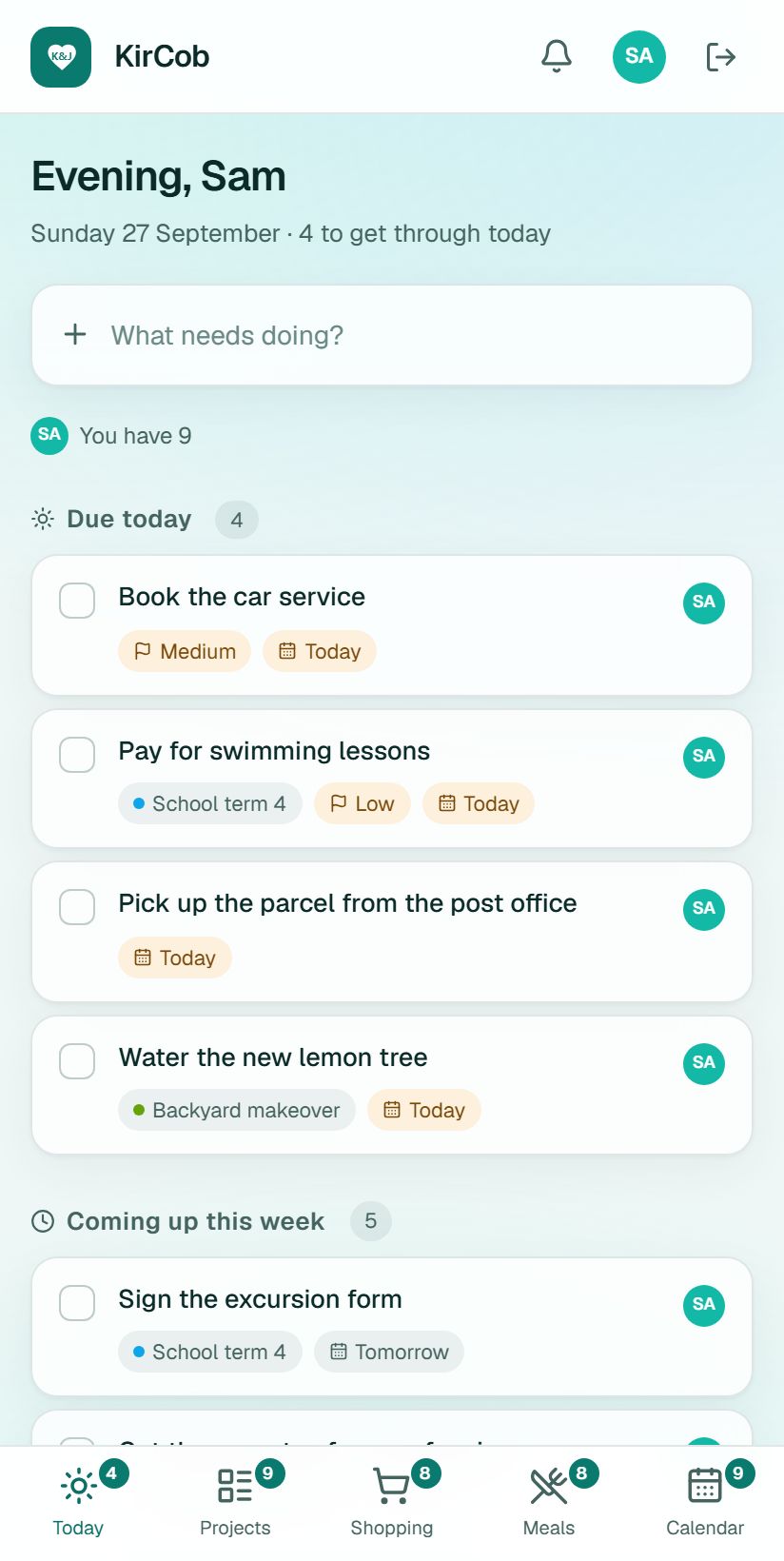
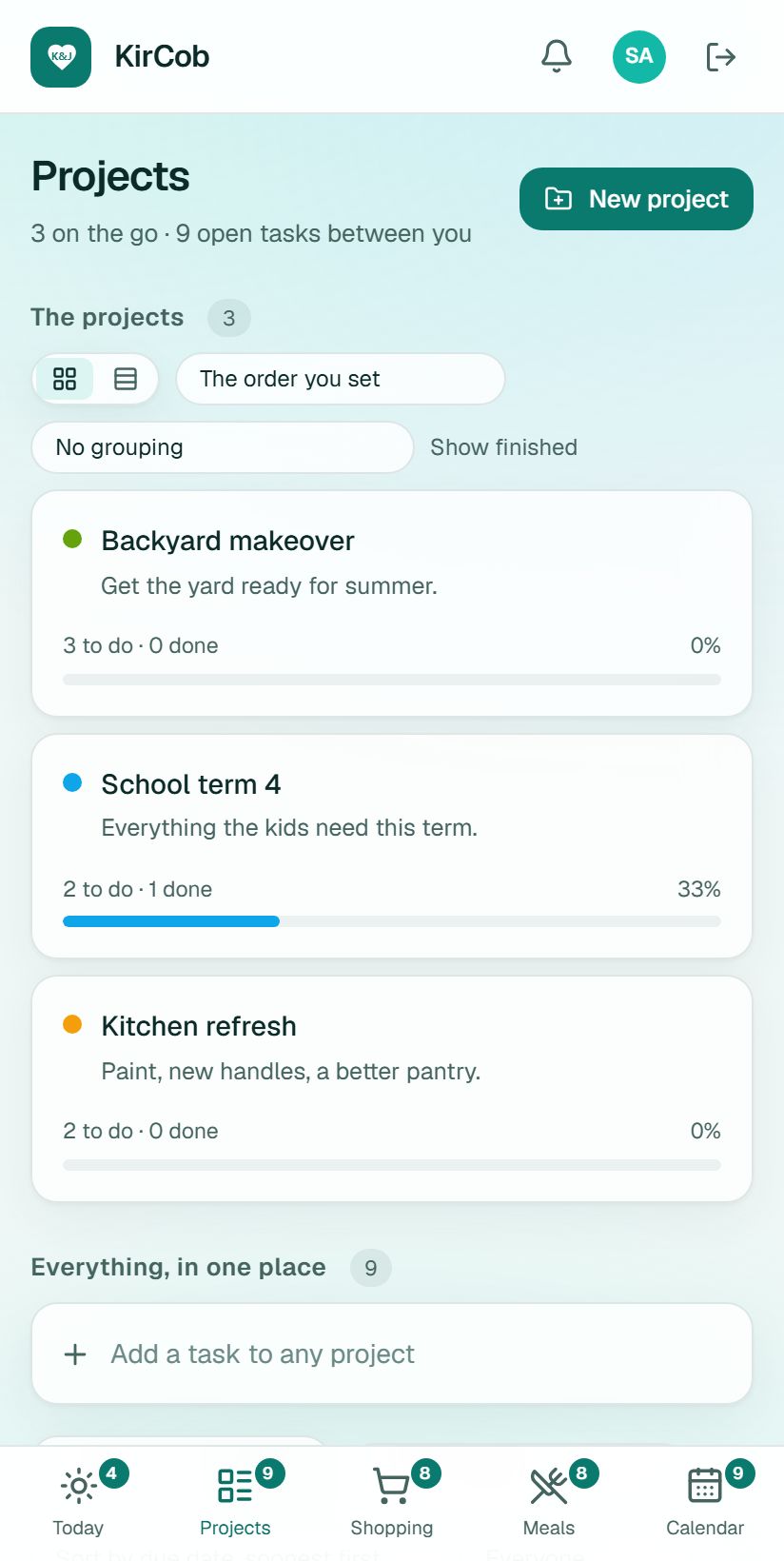
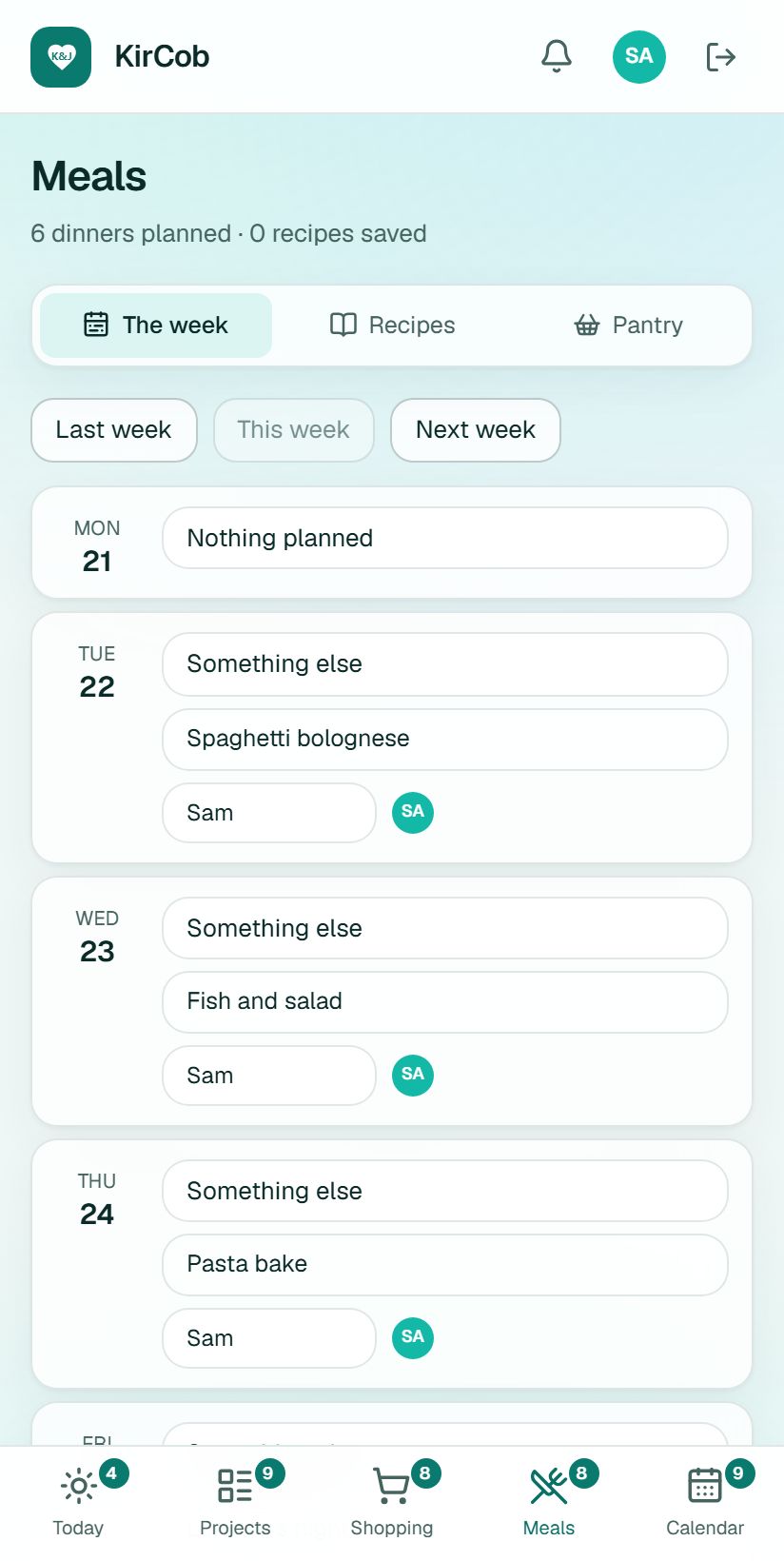
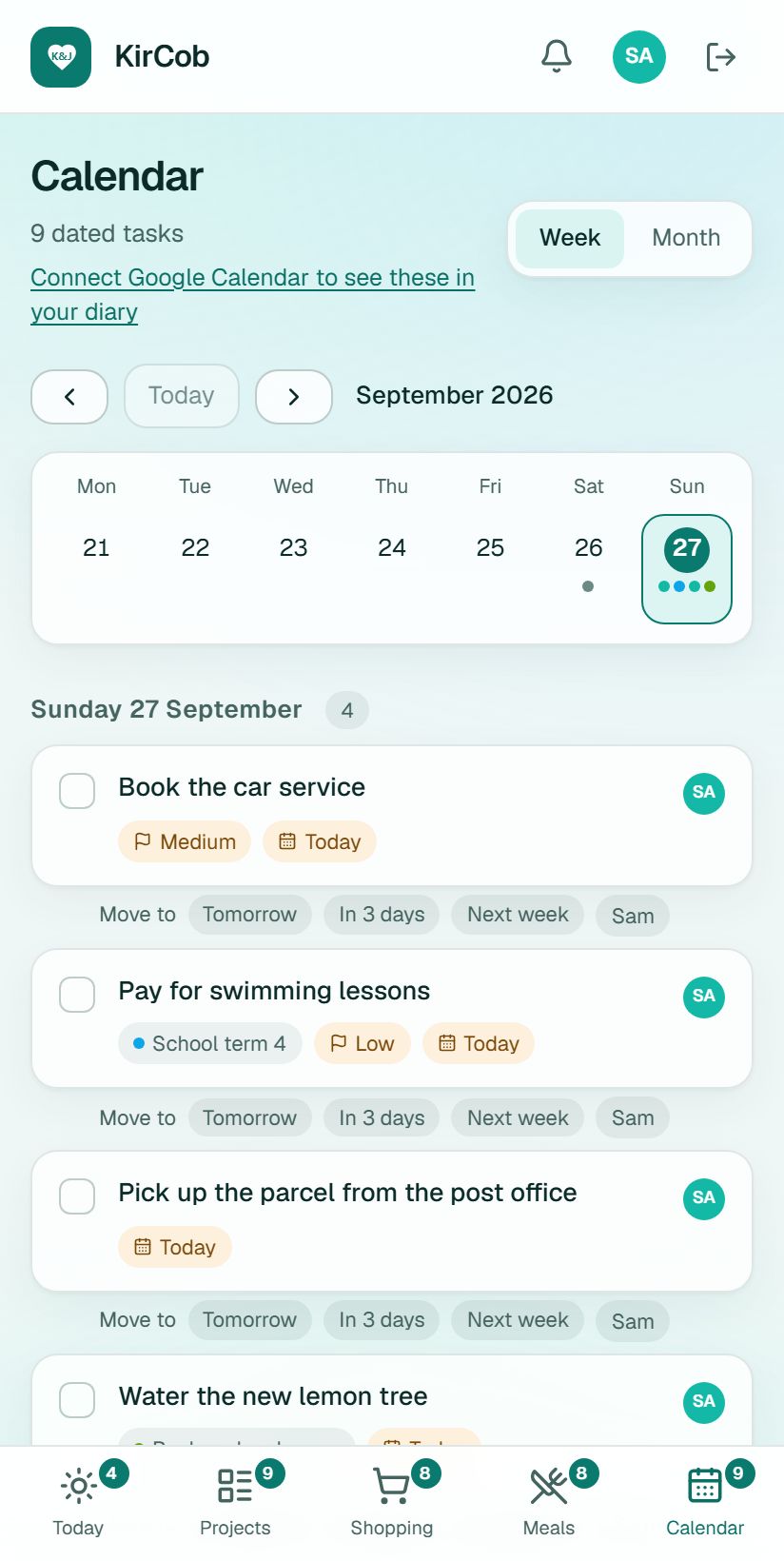
Everyday jobs
Add a job
- Open Today.
- Type what needs doing into the box at the top.
- If you like, choose a project, who it is for, and a date.
- Press add. It shows on the other phone straight away.
Move a job along
- Open Projects and choose Board.
- Every job sits in one of five stages: Backlog, To do, Doing, Waiting or Done.
- On a phone, press and hold a card, then drag it to the next stage.
- Tap any job to add smaller steps, comments, photos or a date, or to make it repeat.
Plan the week's meals
- Open Meals and go to The week.
- Put a saved recipe against each night.
- Press add this week's ingredients to the shopping list.
- It adds everything up and skips what is on your Pantry list (things you always have in).
Do the shopping
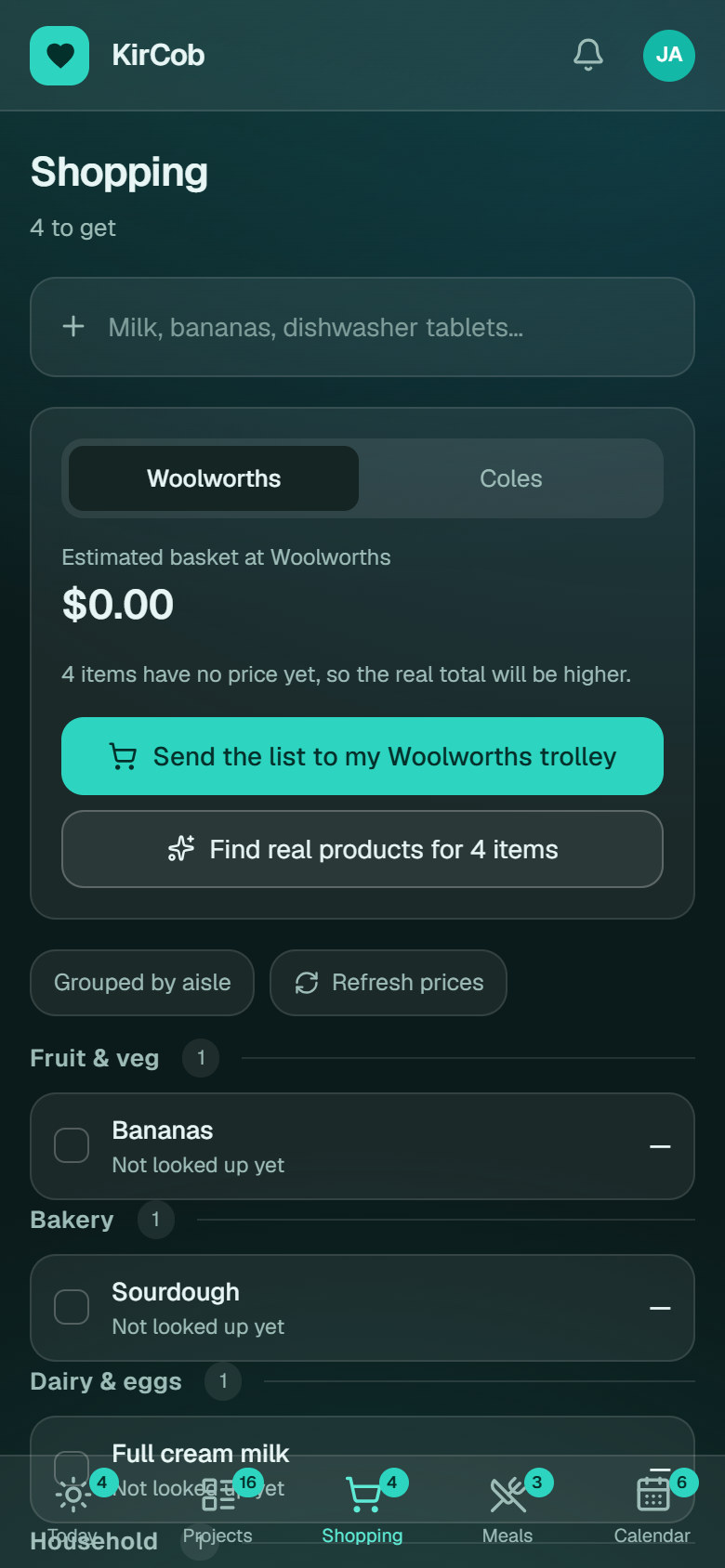
- Open Shopping at the shop.
- Tick things off as you go. The other person sees each tick from home.
- Tap the arrow beside an item to open that exact product in the supermarket's own app, ready for your trolley.
Who can see what: Only the two people in the household can see anything in the app. Each person has their own sign-in, and their own choice of light or dark screen does not change the other's.
The technical detail
What I built
A private app you install on your phone (a PWA) combining projects, repeating tasks, shared shopping, meal planning, photos, notifications and a two-way Google Calendar connection.
How it works
Both people see the same current state. Tasks carry ownership and timing, shopping items stay shared, and calendar changes move both ways. The hosted shopping view groups items by aisle and opens retailer links; it does not provide live prices.
Where it got to
The app provides one installable, phone-first surface for household coordination. The supermarket trolley link is optional. It only works when a browser is already signed in to the shop, so I do not promise it.
Please note: these are the real screens, filled with made-up data. No real customer, company or financial records appear in them.