Automation monitoring dashboard
Jobs that run on a schedule were scattered across scripts, reminders and people’s memory, and could fail without anyone noticing. Now they are on one screen with their last result.
What was going wrong
Work that had to happen on a schedule was spread across scripts, reminders and people’s memory. A job could fail quietly, and nobody had one place to see what was running.
Why it mattered
These are the small checks that keep data, reporting and follow-up trustworthy. When things get busy they are the first to be dropped and the last to be noticed.
Built with
How it works
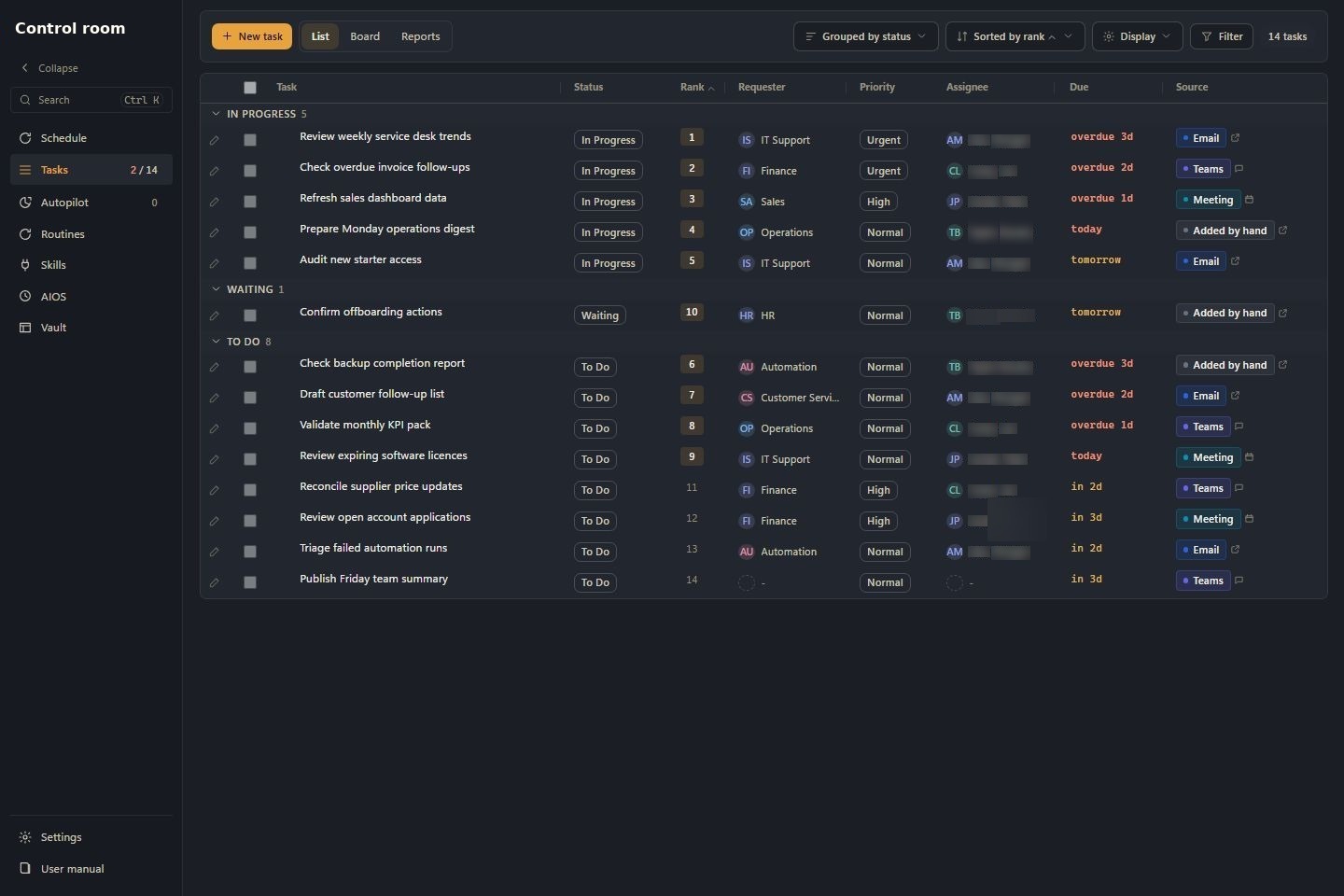
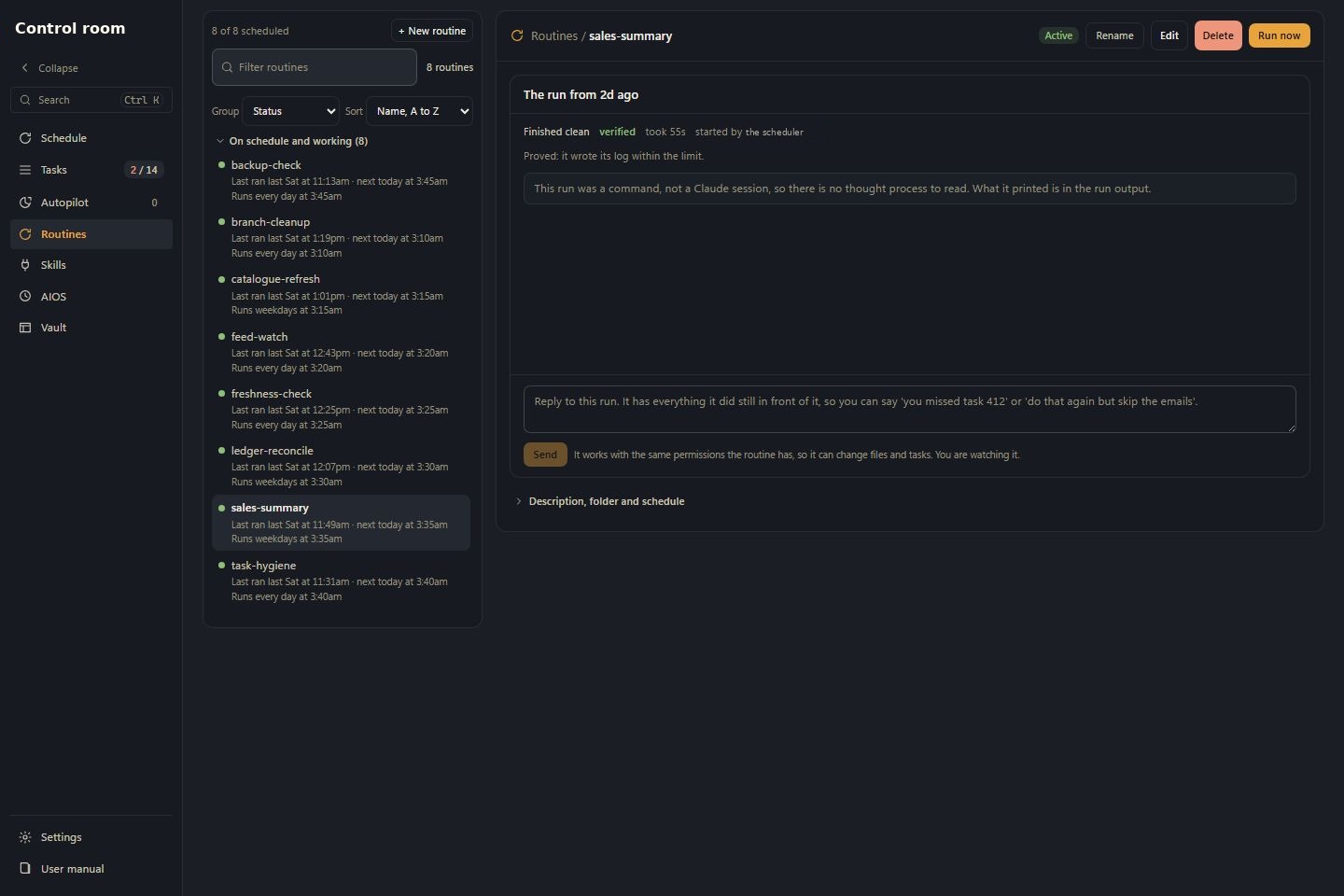
A business has lots of small jobs that run on their own on a timer, like checks and reports. The control room puts them all on one screen, beside the work people need to do, so nothing fails quietly.
The main screens
Everyday jobs
Update a task
- Open Tasks. It starts on the List view.
- Click the status, priority, owner or due date on a row and change it right there.
- To close a task with a note, press the small pencil button, type what happened, and press Save.
Check a scheduled job
- Open Routines.
- Pick a routine from the list.
- Read its schedule, its last and next run, and its run history.
- Open a run to read what it actually did, and check its proof result, not just that it finished.
Deal with something broken
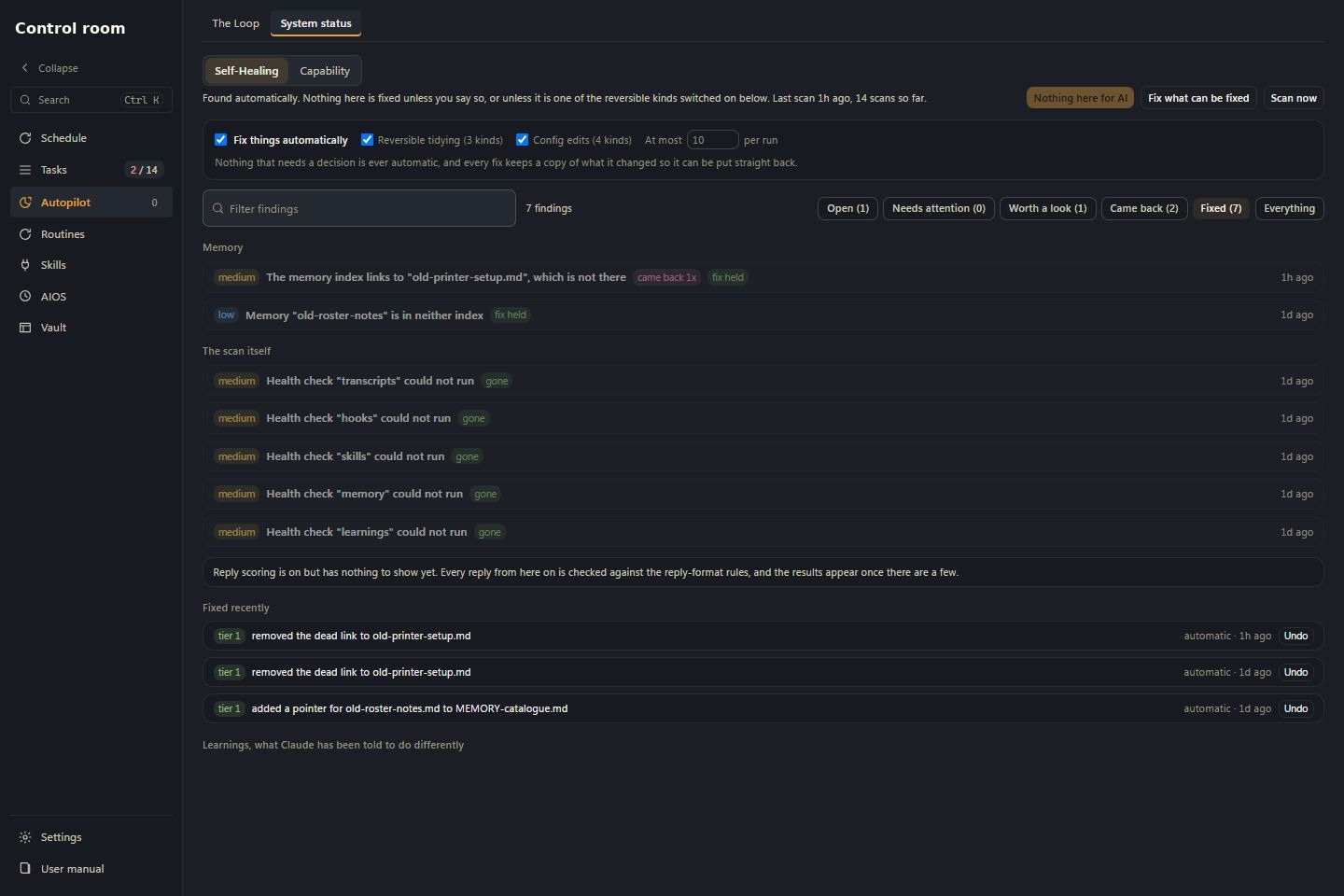
- Open Self-Healing and look at the numbers across the top, including Came back after a fix.
- Click a finding to see the evidence and Your options, pick one.
- Press the option you want, such as the automatic repair, or Leave it, this is fine as it is.
- If a fix was wrong, find it under Fixed recently and press Undo.
Who can see what: Every proposed repair needs a person to allow it, and can be undone. Anything that sends a message, spends money or cannot be reversed always waits for a person to confirm.
The technical detail
What I built
A list, a board and reports for jobs that need doing. A register of everything that runs on a schedule, with a record of every run. A live view of what is happening now. A place to design small teams of agents. And a log of proposed repairs, each one needing a person to allow it.
How it works
Every scheduled job shows its schedule, when it last ran, when it runs next and how it went. The runner writes down each run, each one that timed out and each result. A workflow you design in the browser can be started for real, and the trace of what it did stays on the server.
Where it got to
Jobs, schedules, agent workflows and proposed repairs can all be checked from one screen, and a repair can be undone.
Please note: these are the real screens, filled with made-up data. No real customer, company or financial records appear in them.