One assistant that runs the business side
I used to jump between tools to find leads, make images, post content and keep the paperwork straight. Now I message one assistant, Grokbot, and it hands each job to the right specialist assistant. A person approves anything before it goes out.
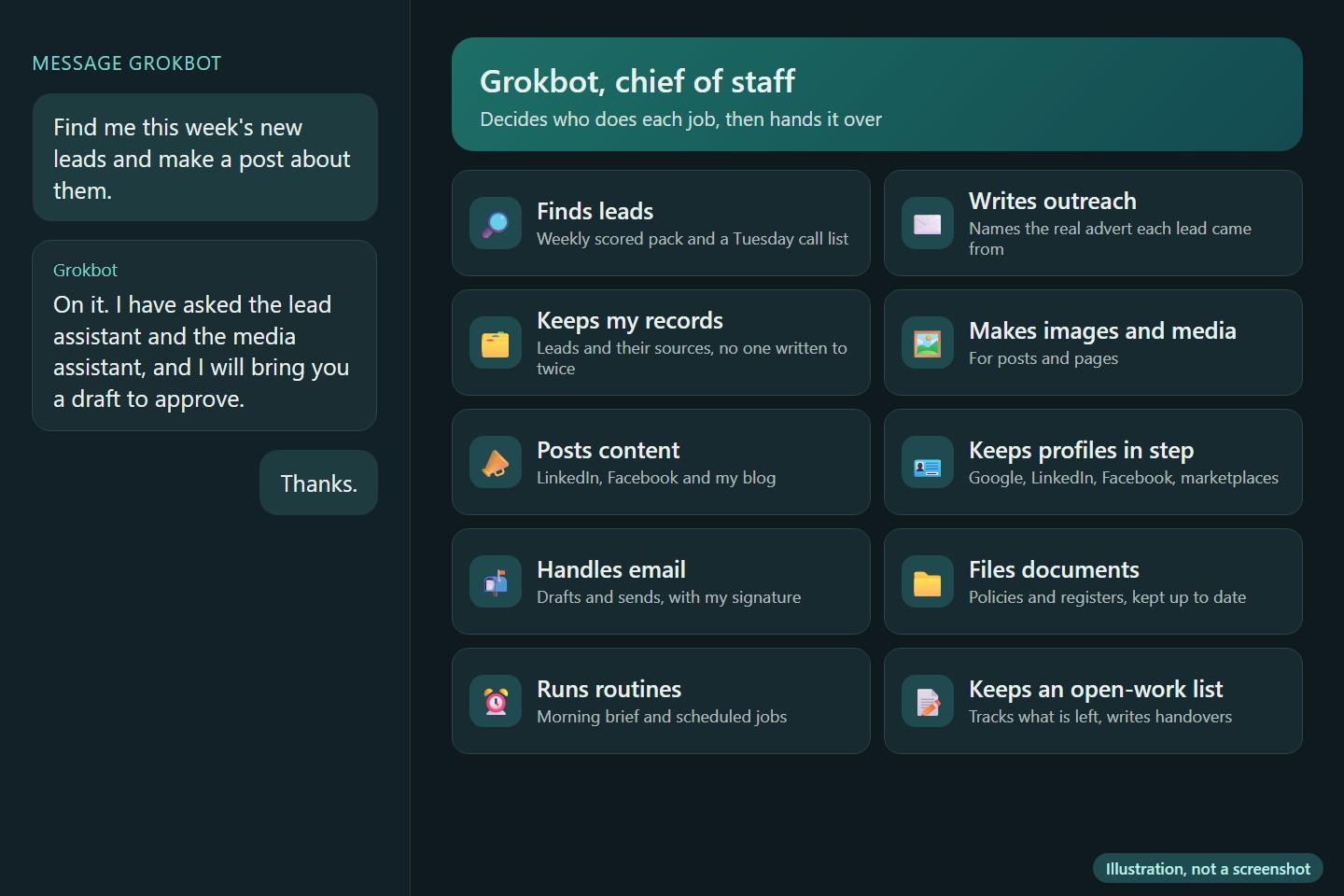
Me: Find me this week's new leads and make a post about them.
Grokbot: On it. I have asked the lead assistant and the media assistant, and I will bring you a draft to approve.
Me: Thanks.
What was going wrong
Running a business alone means doing the work of several people. Finding new leads, writing to them, making the pictures and videos, posting on every platform, and filing the paperwork are all different jobs, each with its own tools and its own habits. Switching between them all day left less time for client work.
Why it mattered
When one of those jobs slips, the others feel it. Posts go quiet, leads dry up, and the business looks less active than it is. Hiring a team for a one-person business was not an option.
What it changed
I now send one message, the way I would to a chief of staff, and the right specialist picks it up. I do not need to remember which tool does what. Anything that would reach a client or go public waits for me to approve it first.
The technical detail
What I built
A chief of staff assistant, Grokbot, with a team of specialist assistants behind it. Each specialist has one role, and I can add another when a new kind of work needs one.
Everything it does for me
Finding and contacting people
- Finds leads. Builds a weekly pack of leads, each checked and scored, plus a Tuesday call list. It uses real adverts and job posts as the source and never makes one up.
- Writes the outreach. Drafts a first message for each lead that names the real advert it came from. Sending follows rules I have set, and anything unclear is held back.
- Keeps my records straight. Writes each lead into my own business system with where it came from, and checks who has been contacted so nobody is written to twice.
Making and posting
- Makes images and other media for posts and pages.
- Posts content. Writes and publishes useful posts for LinkedIn, Facebook and my blog, and checks a group's rules before posting in it.
- Keeps my public profiles in step. Checks that my Google, LinkedIn, Facebook and marketplace profiles all say the same thing.
Running the business side
- Handles email. Drafts replies and sends mail with my proper signature on it.
- Files my documents. Puts policies and registers in the right folder and keeps the registers up to date.
- Runs the routines. Does the morning brief and the other scheduled jobs.
- Keeps an open-work list. Tracks what is still to do, and writes a clear handover when it needs to pass work on.
How it works
- I message Grokbot.
- It works out what the job needs and picks the specialist whose role fits.
- It passes the job on.
- It brings the result back to me.
Because each specialist does one job, I can change or fix one without touching the others.
Where it got to
Running my own business today. As of October 2026, 37 automations are switched on.
Who approves what
Anything that would reach a client or go public waits for me to approve it first. Sending follows rules I have set, and anything unclear is held back.
Built with
Please note: this is an illustration of how it works, not a screenshot of the live system, so no names, logins or client details appear.